What changed
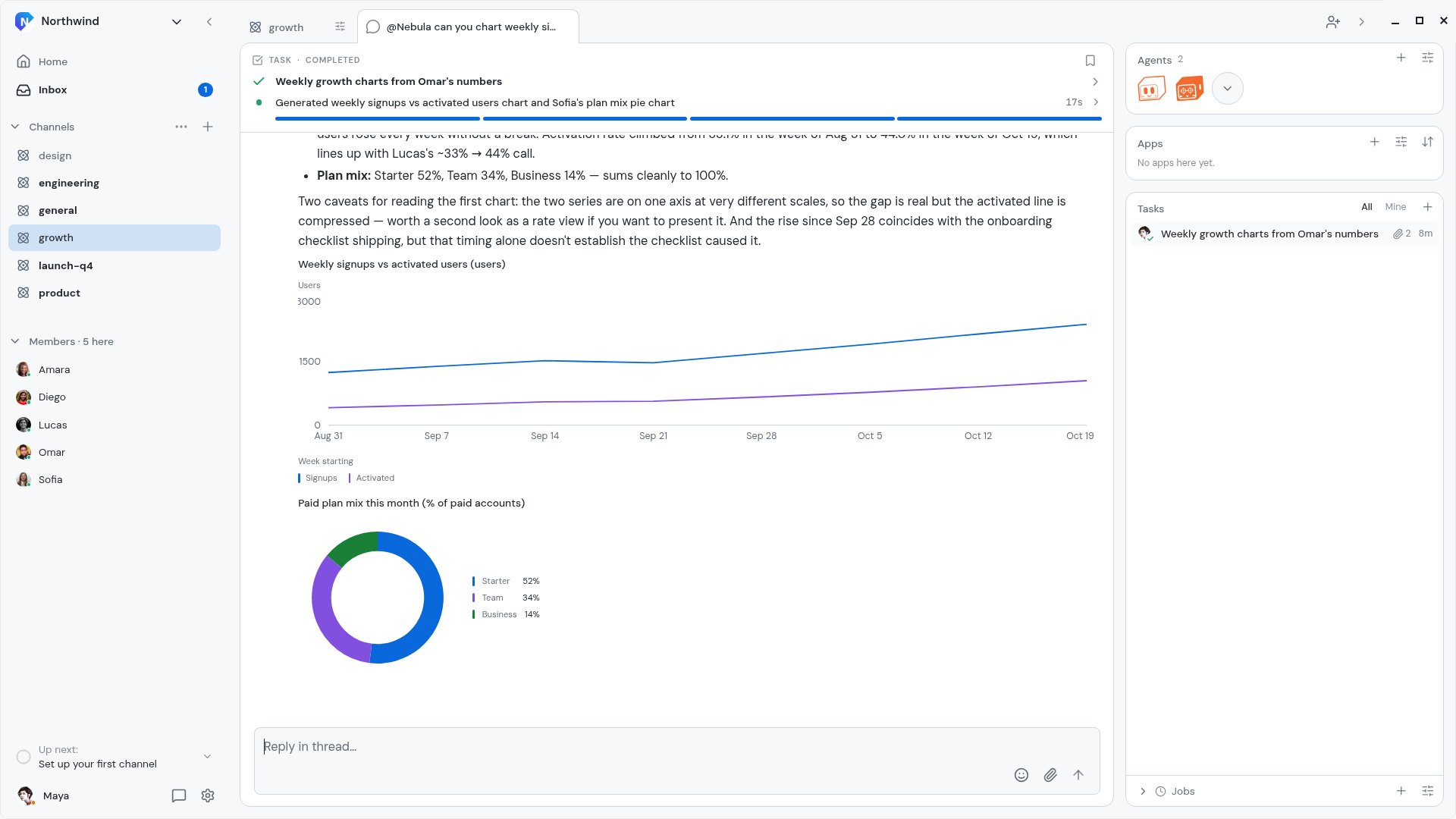
Agents can now answer with a chart. Ask for your numbers in a Channel and the reply comes back with a live chart drawn under it: a line for a trend, bars for a comparison, a pie for a mix.
The chart is part of the answer, not a picture of one. Hover a point to read its value, and the numbers stay with the conversation where your team asked for them. Charts show in the desktop and mobile apps.
How it works
- In a Channel, ask Nebula for the numbers you want to see, for example "chart weekly signups vs activated users from Omar's numbers".
- Nebula hands the work to the right agent on the Channel's roster, and it builds the chart from the data in the conversation.
- The answer lands in the Channel with each chart listed on its Task card. Open the Task to see the charts in full.
Tasks with charts carry a chart mark in the Task list, so they are easy to find again.
Why it matters
Numbers in a message are hard to read and easy to skip. A chart shows the trend at a glance, so the whole Channel can see what changed and talk about it in the same place.