53 updates shipped since June 2026. Last updated July 24.
The workspace usage screen now answers "where are my tokens going, and what's driving the spend?" at a glance, with top cost-driver cards, plan-allowance tracking, period-over-period trends, and the ability to focus a single member and break down exactly what they are spending on.
Agents can now use your computer's native tools: take screenshots, read and write your clipboard, launch apps, and control system settings. Connect your local device and give your agent real access to your machine.
The Calls surface is rebranded to Live / Sessions across the app. Voice call controls are refined: mute applies to the agent only (not the whole call), the speaker toggle is relabeled for clarity, the responding chime is removed on agent messages, and finished call work threads on Home are now dismissible.
The mobile voice call experience has been completely redesigned. A new agent orb shows what your agent is doing, a floating overlay keeps calls going while you use other apps, and bottom sheet interaction patterns make one-handed use feel natural.
The voice call room is rebuilt with a clearer layout: chat moves to a fixed side rail, work threads take the main stage, and animated orbs show what the agent is doing. Live workspace calls now appear on Home with one-click join, and a global mic-mute hotkey works across desktop and web.
During a voice call, your agent can now see your camera feed and analyze what's visible in real time. Show it objects, documents, your workspace, or yourself, and get instant analysis without describing things in words.
During a voice call, your agent can now invite other workspace members by name. Ask the agent to bring someone in, and they get pulled into the live call — no links, no copy-paste, no leaving the conversation.
MCP servers that support OAuth can now be connected with a single click instead of pasting API keys or tokens. Full MCP server management also arrives on mobile.
Credits are now branded as Nebula Credits across web and mobile, with a streamlined two-bucket system that separates your included plan credits from bonus credits you purchase separately.
Agents can now produce professionally formatted documents — PDFs, slide presentations, and designed HTML pages — and attach them directly to their responses. GPT-5.6 is also now available, giving agents a more capable model for complex tasks.
While you're in a voice call, agents now run a live background summarizer that continuously synthesizes real-time intelligence alongside the conversation — catching insights you might have missed, surfacing patterns, and building context as you talk.
Chat loads faster with the new turn render model. HITL approval cards now show what happened when they expire instead of disappearing. Voice calls on the home screen got stronger visual indicators - bigger Live pill, brighter borders, and a phone icon so you can tell active calls at a glance.
Voice calls on mobile now show live captions with speaker attribution, a scrollable transcript, a persistent floating pill that tracks call status across the app, and a post-call recap - bringing mobile voice to full parity with web.
Voice calls now offer three mic modes - active, silent, and mute - so you control exactly when agents hear you. You can also set a custom wake word for each workspace, and the background assistant now waits until it has enough context before acting.
Hit a hotkey to summon a compact composer from your desktop bar. Type a message to any agent and send it - no need to open the full app. The agent picks up the task immediately while you stay in whatever you were doing.
Voice calls graduate from experimental to general availability. Every user can now start a voice call with any agent - no opt-in, no gate. The voice pipeline is backed by always-on transcription, a live background summarizer, and per-minute billing.
Nebula Max, our premium model tier, is now generally available. Flip it on to route your agents through the most capable models we offer, with higher context windows and stronger reasoning for complex tasks.
Share your screen during a voice call and your agent can see what you see, analyze it, and help in real time. The call room is rebuilt as a presentation-first experience with an orbit stage and per-user agent slots.
You can now archive threads you're done with. Archived threads disappear from your feed but are preserved and searchable, giving you a clean workspace without losing anything.
The onboarding flow is now a single unified path instead of a fork between personal and team setups. Everyone starts the same way and branches naturally from there.
The Nebula desktop app — ambient bar, system tray, and all — now runs natively on Linux and Windows. Previously Mac-only. Linux gets Wayland and X11 support with six-anchor positioning; Windows gets a system tray with close-to-tray and a compact small-bar mode.
You can now archive threads to hide them from your home feed without deleting them. Archived threads remain searchable and can be restored anytime - clean workspace, no data loss.
You can now browse a library of voices, design custom voices with fine-grained controls, clone your own voice for use in calls, and set a default voice for every agent. Cartesia joins ElevenLabs as a second voice provider, so you have more options than ever.
While you're in a voice call with an agent, it can now dispatch arbitrary work — searching your docs, running code, querying your database — while you keep talking. Outward-facing actions require a quick approval tap so nothing ships without you.
The Cmd-K search bar now surfaces threads as first-class results. Type a few words from any conversation you've had — the search resolves thread titles from the backend, so results are always accurate and fast.
Agents now show a live "Thinking" indicator while they reason through your request. You'll see elapsed time, a "thinking longer..." state for complex problems, and a real-time token counter — so you're never left wondering if anything is happening.
Agents can now fan out independent work into parallel sub-tasks - research 5 companies at once, compare 4 tools simultaneously, audit every repo in parallel. The UI shows a live workflow tree so you can watch each branch progress in real time.
The home screen has been completely reimagined across web and mobile. Threads are now organized into Live, Unread, and Earlier sections with unified feed rows that show live activity, progress bars, and quick actions — so you always know what's happening right now.
You can now share individual agents, jobs, and miniapps with specific teammates — without giving them access to your entire workspace. Fine-grained permissions (view, edit, admin) let you control exactly what each person can do.
The memory system that lets agents remember your preferences, projects, and past conversations has been completely rebuilt on pgvector. Agents can now recall context across entire conversation histories, not just the current thread — "remember that project we worked on last month" actually works.
Your workspace's custom API toolkits and MCP servers are now first-class citizens in the agent ecosystem. Any agent can discover and use them automatically — no platform changes, no code deploys.
Voice calls now support text chat alongside audio. When you can't or don't want to speak — in a noisy room, in a meeting, or just thinking — type your message instead. The agent responds in voice, and the conversation flows naturally.
Webinars renamed to Workshops, per-entity access control for sharing agents and jobs, demo accounts for trying Nebula without signing up, and thread summaries that refresh on every agent response.
The new Use Cases page showcases real workflows people have built with Nebula — from automated code review to lead generation pipelines — with step-by-step breakdowns you can copy and adapt.
Voice calls are now available on iOS and Android. Start a call from any thread, talk to your agent on the go, and get a live transcript and activity feed while you talk.
Set a credit threshold and Nebula automatically tops up your account when you dip below it. No more paused agents because you ran out of credits mid-task.
The home screen has been completely rebuilt around a live activity feed. Threads are organized into Live, Unread, and Earlier sections so you always know what needs your attention first.
Connect any MCP-compatible server to Nebula and its tools become available to every agent you own. No custom toolkits to build, no APIs to wrap — just paste a URL and start using the tools.
A single search bar now finds threads, agents, tools, jobs, devices, and settings across your entire workspace. Built on a unified search index that stays current in real time.
The onboarding flow has been consolidated into a single guided path — create your orchestrator, pick a plan, get your free tool credits, and start your first conversation in under two minutes.
Nebula can now send browser push notifications — even when you're in another tab or the browser is minimized. Get an alert the moment an agent finishes work, a teammate replies, or a scheduled job completes.
Toggle Do Not Disturb from the sidebar to temporarily mute all notifications — in-app toasts and browser push — while agents continue working in the background.
Nebula can now use Claude Code as its coding engine. Connect your Claude account once and every agent in your workspace gains the ability to clone repos, write production code, and open PRs — all without you touching a terminal.
Member profile pages with online status, seven new OpenUI components (mermaid diagrams, heatmaps, kanban boards, and more), and a sweep of desktop CLI reliability fixes.
The full tool store catalog is now available on mobile — browse 1000+ integrations, see pricing and descriptions, and connect new tools to your agents without touching a desktop.
Every workspace member now has their own personal Nebula orchestrator with a customizable name and description. Teammates can see your orchestrator but can't talk to it — it's yours.
Every thread now has an auto-generated outline. Chapters appear as labeled dividers in the conversation and as a navigable sidebar — tap any chapter to jump straight to that moment.
The desktop menu bar now shows the thread title and which agent is working on it in real time, so you always know what's happening without switching windows.
The desktop menu bar now attributes every message — agent responses, teammate replies, and job outputs — to the right sender with proper @mentions, so you know who said what without opening the app.
Type /model in the desktop composer to switch between AI models mid-conversation — with pricing shown inline so you know the cost before you switch.
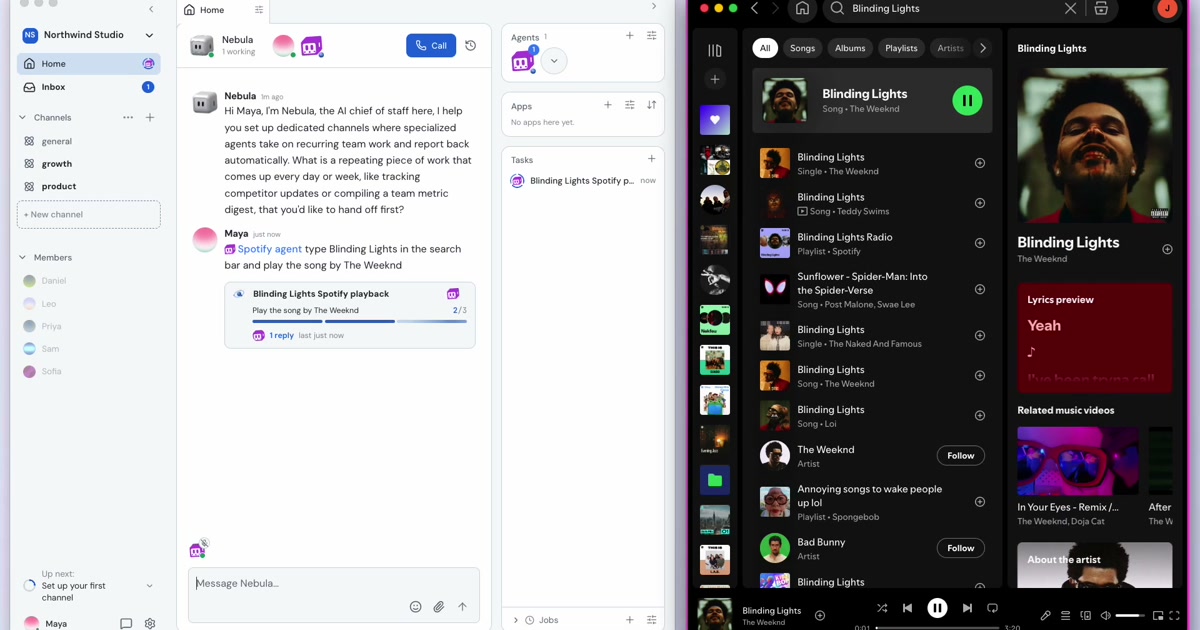
Start a live voice conversation with any agent in your workspace. Like a phone call, but the person on the other end can run code, search your docs, and dispatch work while you talk.
The Nebula desktop menu bar now matches the web sidebar — browse your threads by channel, manage jobs and devices, and see live notifications without opening the full app.
The sidebar is now yours to organize. Pin the agents, channels, and jobs you use most, hide the ones you don't, and keep your workspace navigation focused on what matters to you.
Want these updates as they ship? Install Nebula and check What's New in the sidebar.