What changed
When a job needs a real browser, Nebula's agents now hand it to Fastbrowse, our open-source browser agent. It opens the site in a cloud browser, clicks through it, fills in forms and comes back with an answer that points to where it found each fact.
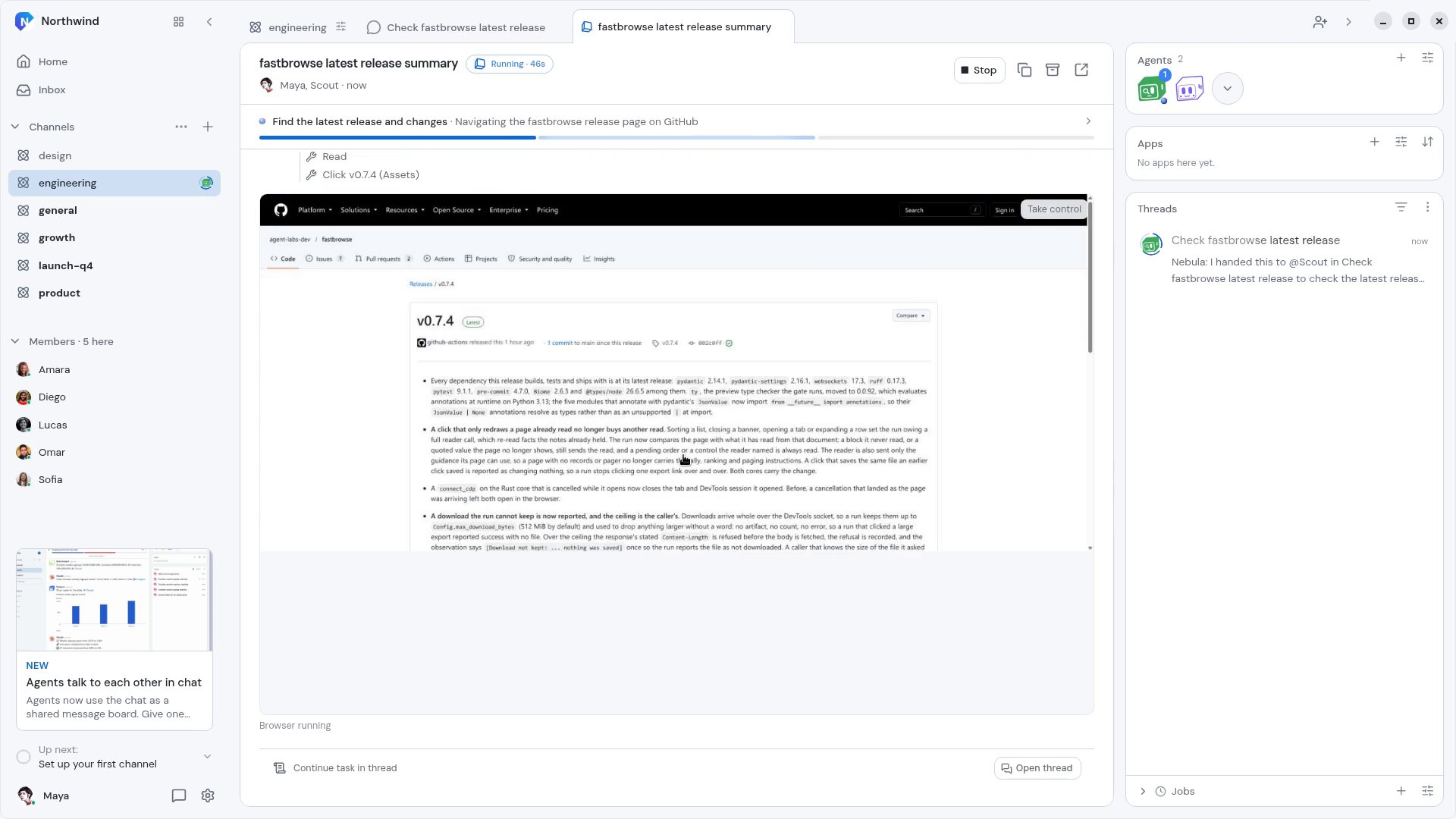
You don't have to wait for a summary to know what happened. The browser shows up live inside the Task while the agent works, with each step listed above it as it happens. When the run ends, the Task keeps the last page so you can see what the agent saw. This works in the desktop and mobile apps.
How it works
- In a Channel, ask for something that needs a browser, for example "have Scout open the fastbrowse repo on GitHub in a browser, go to its latest release and tell us what shipped".
- Nebula hands the work to an agent on the Channel's roster, and the agent starts a Fastbrowse run.
- Open the Task to watch it. The live browser opens the repo, goes to Releases and clicks into the latest one. Each action, like "Click v0.7.4", appears as a step.
- If the agent needs a hand, press Take control and use the browser yourself, then give it back.
- The answer lands in the thread, with a link to the page it read.
Fastbrowse picks each action from the page's own links and buttons instead of guessing from a screenshot. It won't take a step that can't be undone, like paying or deleting something, unless you asked for it. Saved passwords are filled in only on the sites they belong to.
Why it matters
A lot of work still lives behind web pages that don't have an API: release notes, dashboards, portals, sign-up flows. Now your agents can do that work for you, and because you watch every step, you can trust what they bring back.