What changed
The nebula-ai CLI has a new set of commands for the work you do in a workspace. From your shell you can now:
- start a Task for an agent with
tasks create, then follow, rename, stop or archive it - send, read, edit and react to messages in a Channel or a Task with
messages - create, run and pause scheduled jobs with
jobs - list, create and delete miniapps with
miniapps - save and remove workspace or personal skills with
skills
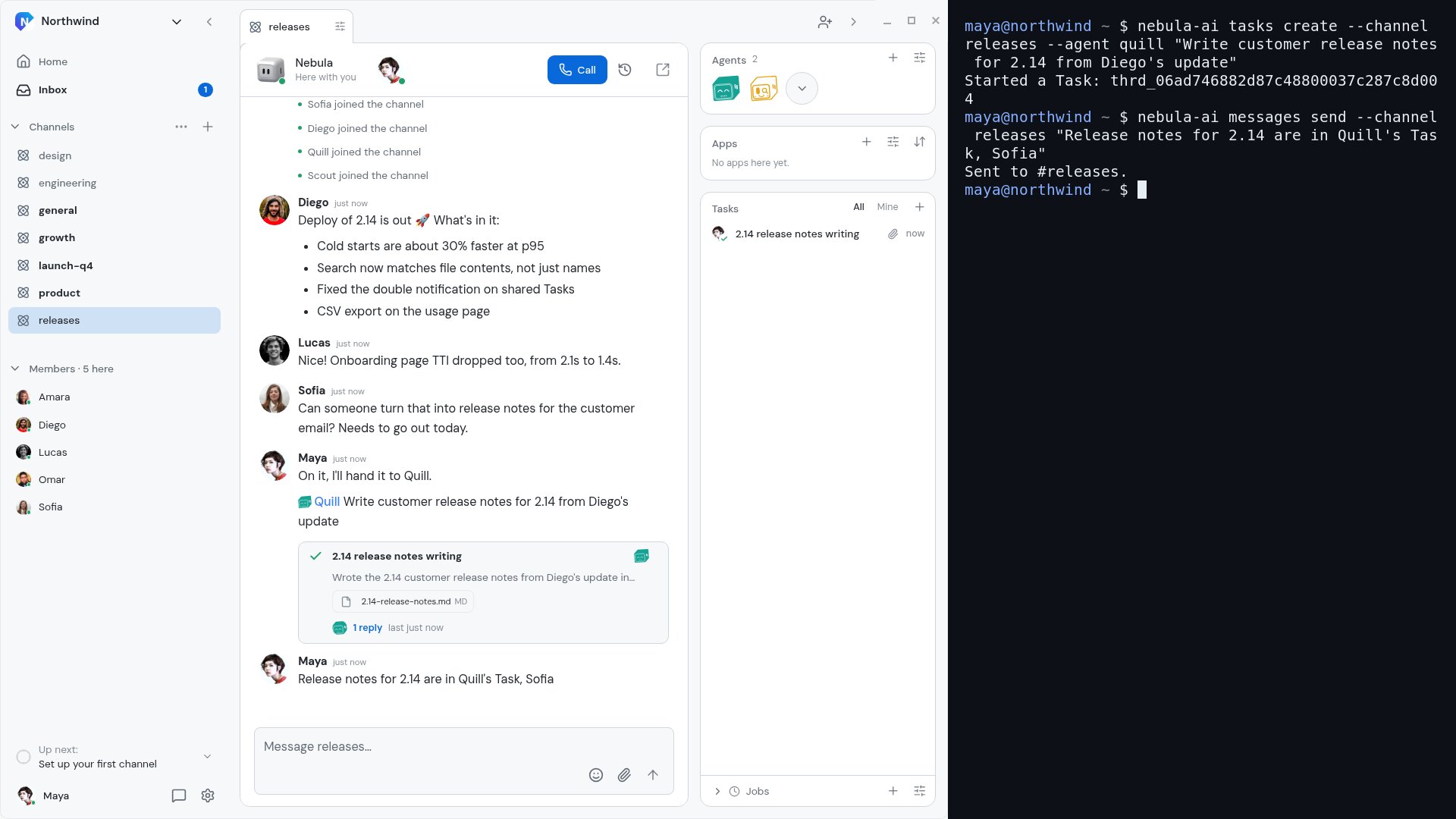
channels and agents gained the matching management commands too. The CLI reads and writes the same synced workspace as the desktop app, so a Task you start in the terminal appears in the Channel straight away, and your team sees it like any other.
How it works
- Install the CLI with
npx nebula-ai(orbrew install agent-labs-dev/nebula/nebula-aion macOS and Linux), then runnebula-ai login. - Hand work to an agent on a Channel's roster:
nebula-ai tasks create --channel releases --agent quill "Write customer release notes for 2.14 from Diego's update". The CLI prints the new Task's id. - The Task shows up in the Channel and the agent gets to work. Read its replies with
nebula-ai messages list --task <id>, or open it in the app. - Post back to the team with
nebula-ai messages send --channel releases "...".
Every command takes --json, so you can use them in scripts. The CLI runs on macOS, Linux and Windows.
Why it matters
A lot of work starts in the terminal: a deploy finishes, a script fails, a release is cut. Now you can hand the next step to an agent from the same place, without switching windows, and the result still lands in the Channel where your team works.