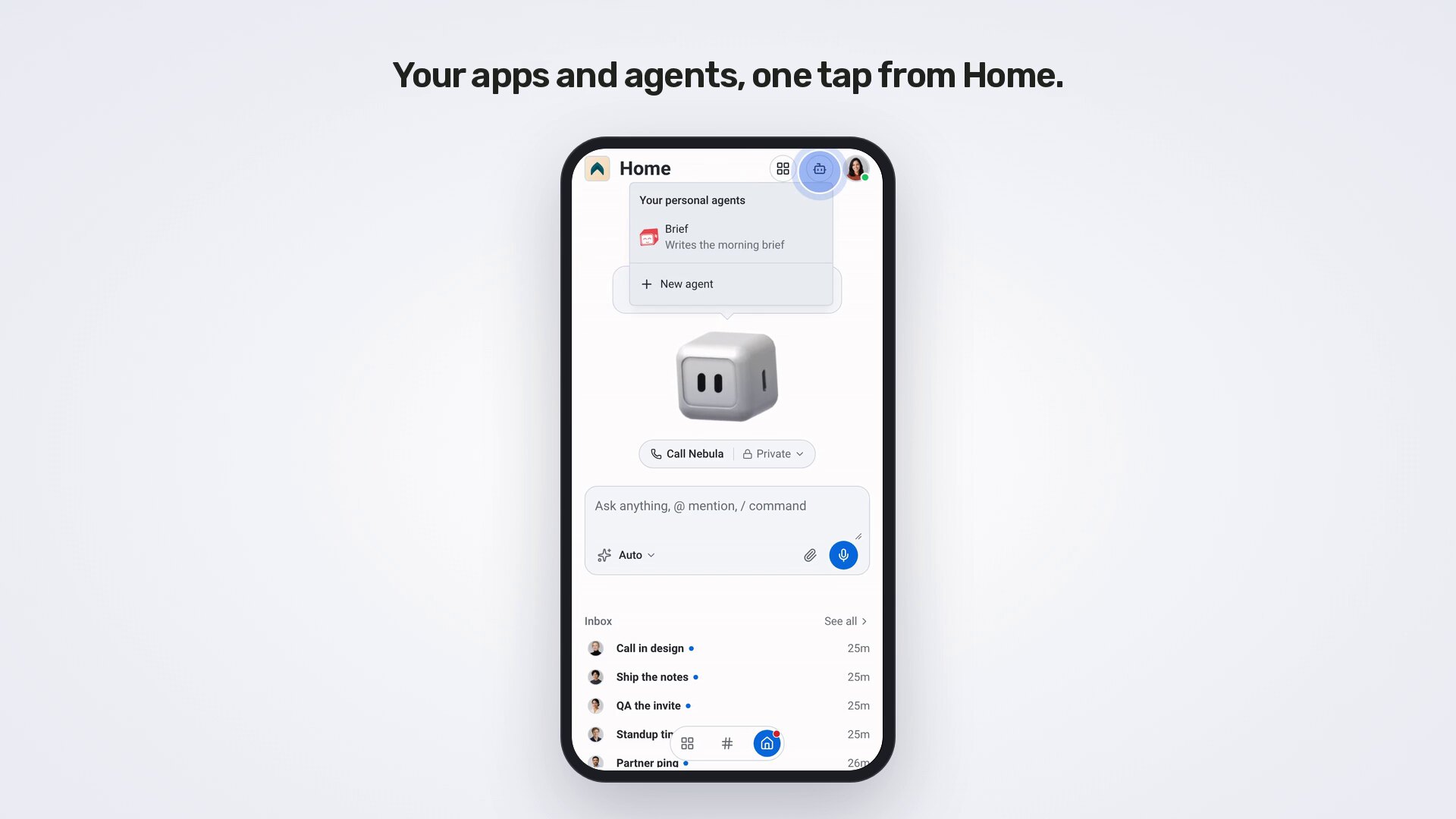
What changed
Version 1.0.193 of the mobile app brings three changes to Home.
- Call Nebula from the cube. Tap Call Nebula under the cube and a call with Nebula starts right away. The pill next to it shows which Channel the call opens in, and you can tap it to pick another. Push to talk now sits in the message box, so you can hold to speak wherever you type.
- Your apps and agents in the header. Two new buttons next to your photo open your recent apps and your personal agents. Each menu also has a button to create a new one.
- A shorter Inbox on Home. Home lists your ten newest threads. If you have more, View more opens the full Inbox.
In the video, a tap on Call Nebula opens the call and Nebula says hello. Then the Apps menu shows Field notes, and the agents menu shows Brief, who writes the morning brief. Last, Home shows ten threads above View 2 more, and a tap opens the Inbox with all 12.
How it works
- Calling. On Home, tap Call Nebula. The call opens in the Channel named on the pill. To change it, tap the pill and search for a Channel.
- Push to talk. Hold the mic in the message box and speak. Let go to send. Anything you typed first goes at the start of the same message.
- Apps. Tap the grid button. You see the three apps you opened most recently, newest first, plus New app, and View all when there are more.
- Agents. Tap the agent button. You see up to six of your personal agents, each with a line on what it does, plus New agent.
- Inbox. Scroll Home to the end of the list and tap View more to open the Inbox.
Search moved from the Home header to the Channels page to make room for the two new buttons.
Why it matters
Home is the first screen you see, so it should get you to the right thing quickly. Talking to Nebula is now one tap, your apps and agents are always a tap away, and a short list keeps Home quick to read even when your Inbox is long.