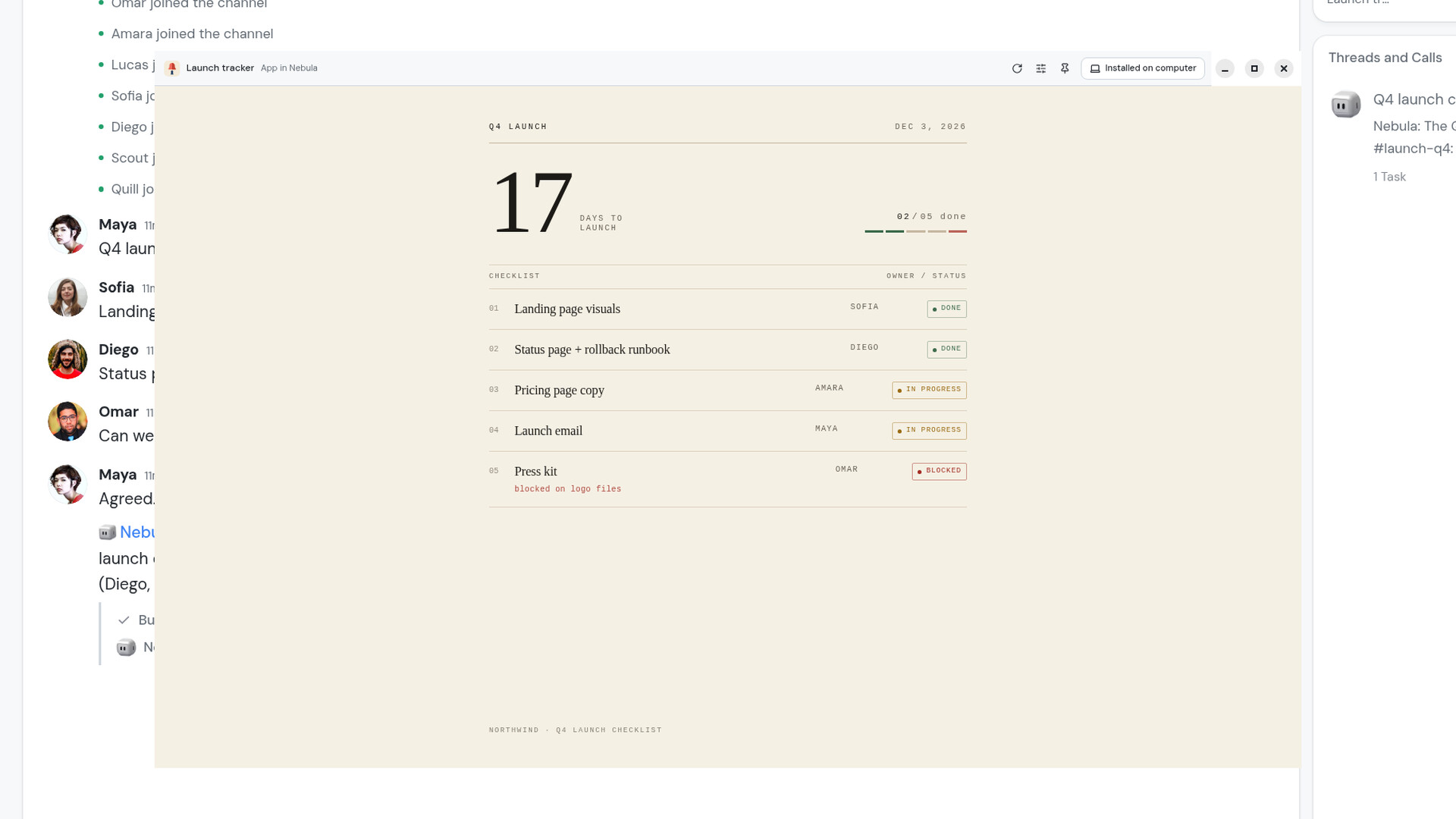
What changed
Mini apps, the small apps Nebula builds for you inside a Channel, now open in a window of their own in the desktop app instead of a tab. That window has a slim bar across the top with the app's icon and name, Reload, App settings, Pin to Home, and a new button: Install on computer.
Press it and the app gets a real launcher on your computer, with its own name and icon:
- macOS: an app in the Applications folder in your home folder.
- Windows: a Start menu entry and a desktop shortcut.
- Linux: an entry in your app launcher.
Nebula shows you the new launcher in your file manager, and the button changes to Installed on computer. Press it again to remove the launcher.
How it works
- Open a mini app from the Apps card in its Channel, or from the app icons on Home. It opens in its own window.
- Press Install on computer in the window's top bar.
- From now on, open the app from your Applications folder, Start menu or app launcher like any other program. It opens straight into the app's window, and the window keeps the size you last left it at.
The launcher holds no password or token. Each time you click it, it asks the Nebula desktop app to open the app, and Nebula signs it in again under whoever is signed in. If Nebula isn't running, the click starts it and brings up the app's window.
Install on computer is a desktop app feature, on macOS, Windows and Linux. Pin to Home is separate: it keeps the app in the corner of Nebula's Home.
Why it matters
The apps people build in Nebula are often the ones they open every day: a launch tracker, a dashboard, an intake form. They used to live behind a Channel and a tab. Now an app you rely on can sit in your dock or Start menu next to everything else you use, one click away, while the team keeps building and updating it in Nebula.