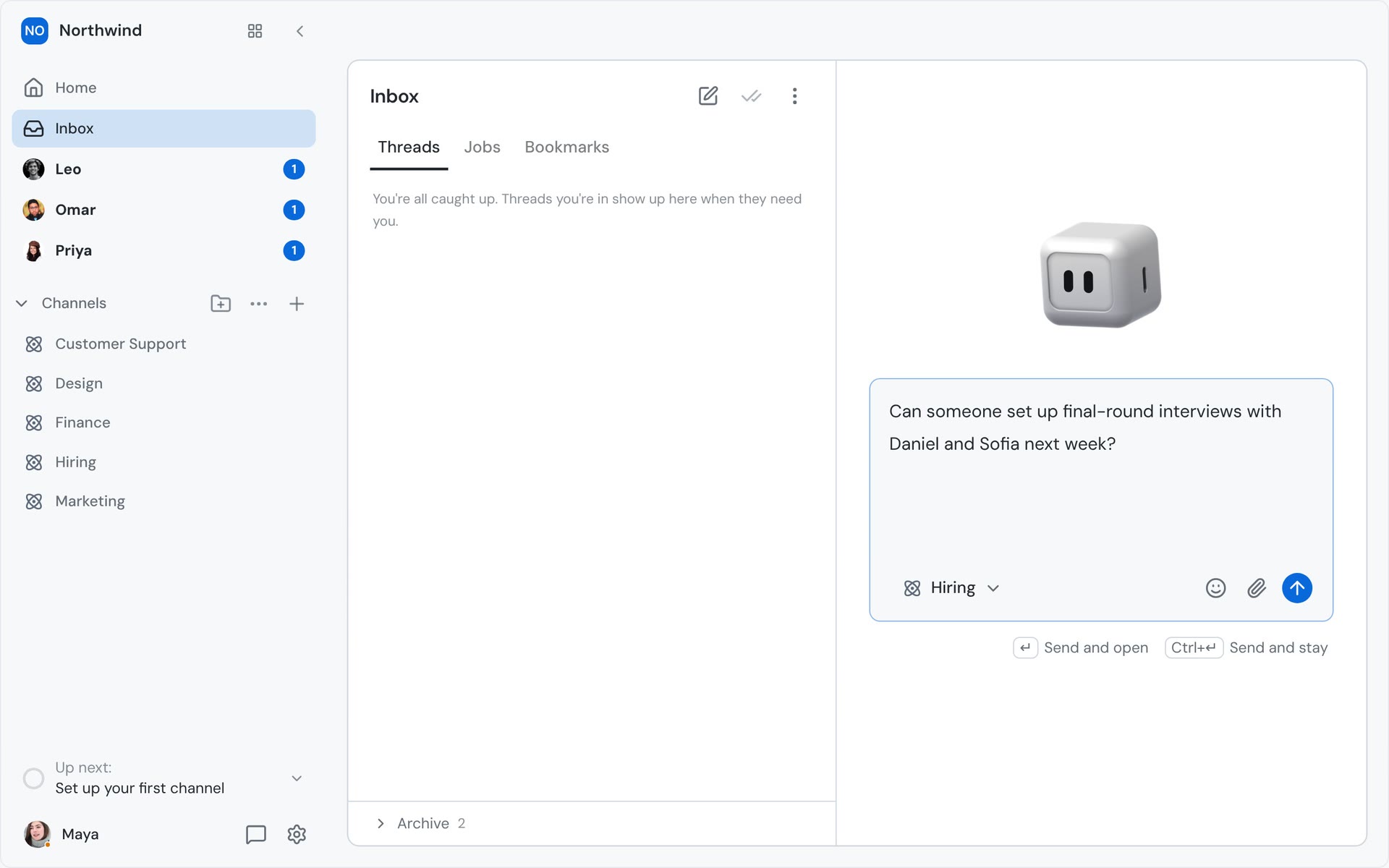
What changed
You no longer have to pick a Channel before you write. Open the Inbox in the desktop app with no thread selected and you get a new-message box that can send to Home or any Channel you've joined. As you type, Nebula reads the draft and moves the destination to the Channel it's about: a question about interviews goes to Hiring, an invoice to Finance, a design note to Design. A general ask for Nebula goes to Home.
You can send several messages from one place. Ctrl+Enter (⌘+Enter on Mac) sends and keeps you in the Inbox with an empty box, so you can write the next one straight away. Enter sends and opens the Channel the message went to.
How it works
- Click Inbox in the sidebar. With no thread open, the right side is a new-message box aimed at Home. The New message button in the Inbox header brings it back from any thread.
- Type. When you pause, Nebula compares the draft with the name and purpose of each Channel you've joined and moves the destination to the best fit.
- In the video, Maya writes "Can someone set up final-round interviews with Daniel and Sofia next week?" and the destination moves to Hiring. She sends it with Ctrl+Enter, sees "Sent to Hiring", and the box is ready for the next message.
- "Who has the AWS invoice for October? I need it to close the books" moves to Finance, and she sends that one with Ctrl+Enter too.
- Her note about the onboarding mocks moves to Design. This time she presses Enter, and the Design Channel opens with her message in it.
If Nebula can't tell where a draft belongs, the destination stays where it is. Short drafts aren't checked. If you pick a Channel yourself, Nebula leaves your choice alone until that message is sent. The next message starts fresh. You can always see where a message is going before you send it.
A clear purpose on each Channel helps Nebula pick the right one. You can set it when you create a Channel or change it later in the Channel's settings.
Why it matters
Most messages start as a thought, not a destination. Before, you had to stop, decide which Channel a thought belonged in, open that Channel and then write. Now you write first and Nebula finds the place, so you can clear several things in a row from the Inbox without leaving it.